COMICWAVESign inSign up
Home / Character tools / AI Character Generator
Tool · Original comic cast

AI charactergenerator.

ComicWave’s AI character generator helps turn a written character brief into a reviewable visual reference set for comics. Define identity, explore controlled variations, approve a design and reuse those labelled references when the character appears in later panels.

No card required · every step is previewed before it costs credits
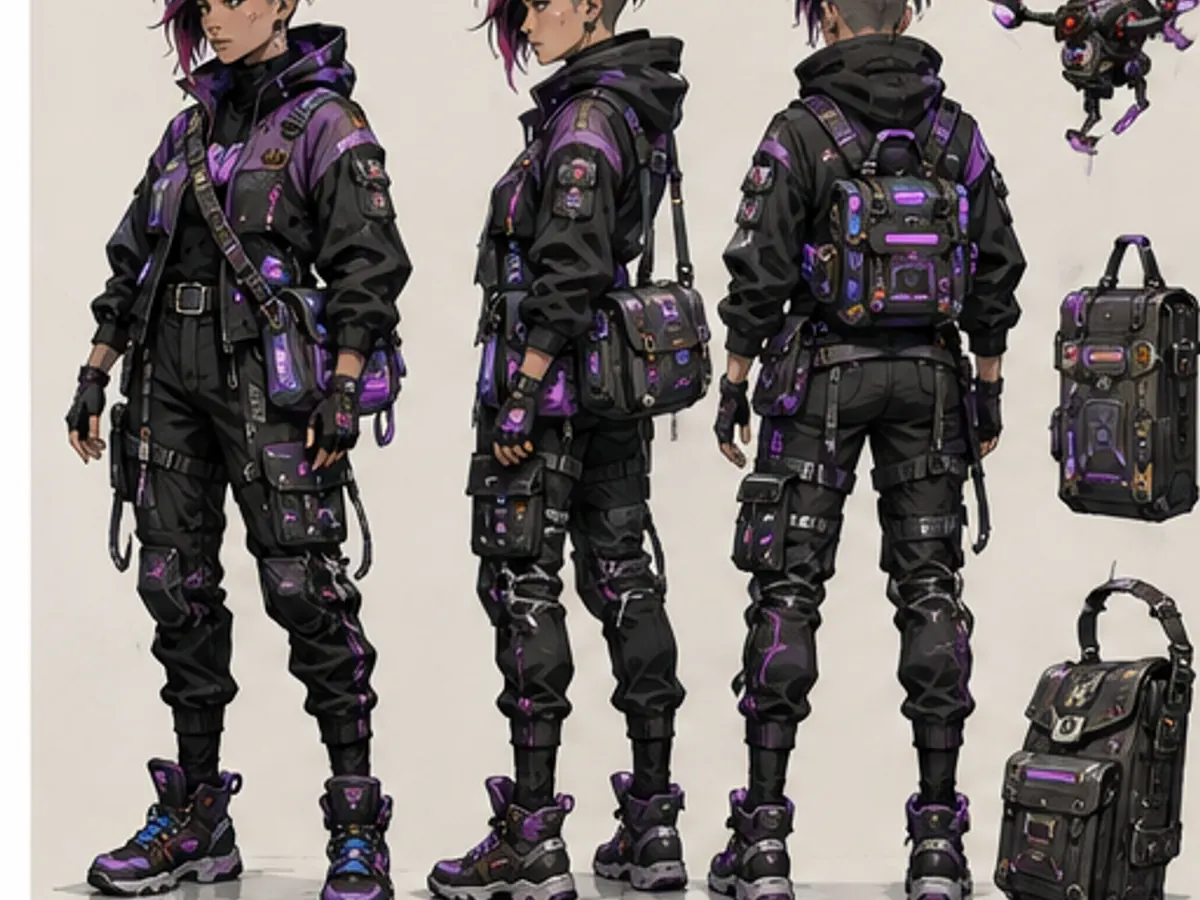
Original cyberpunk courier shown from multiple angles01
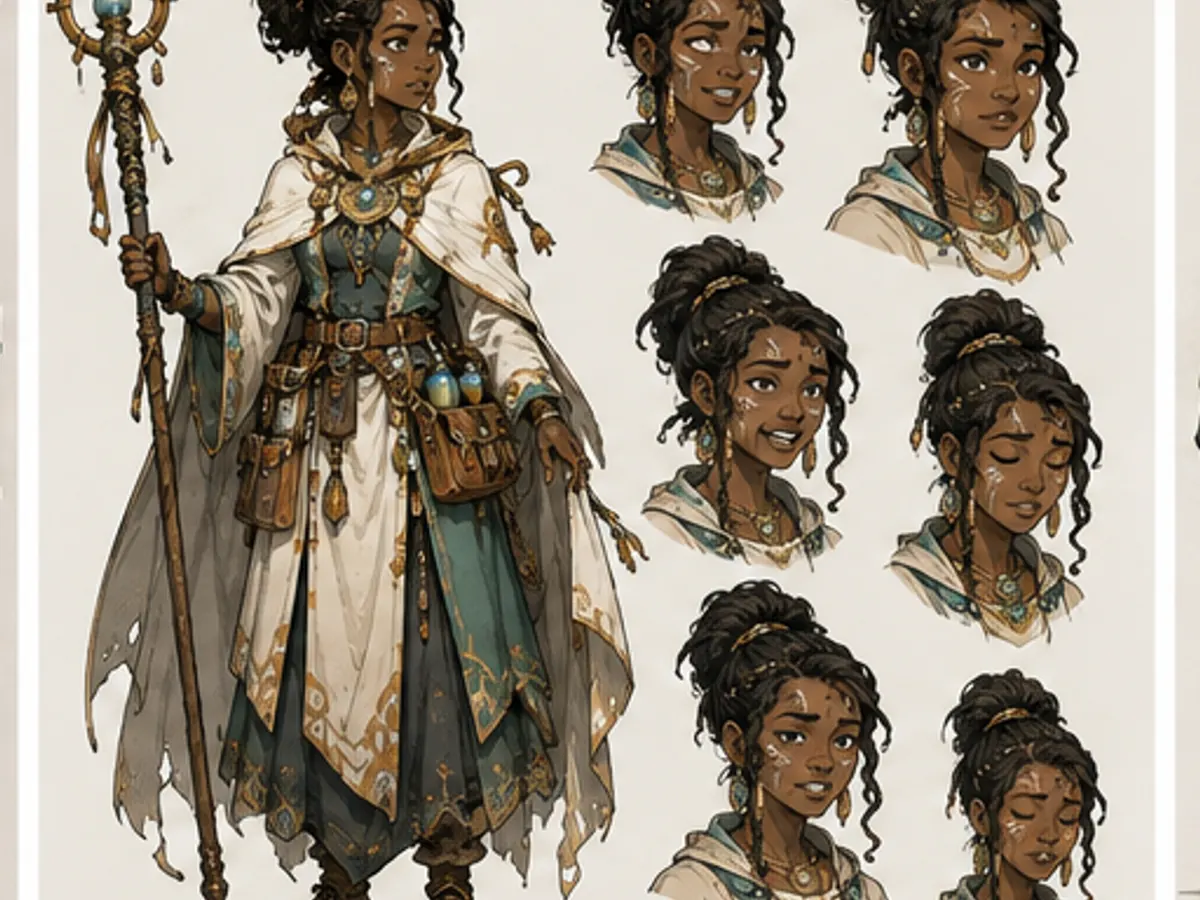
Original fantasy healer with an expression range02
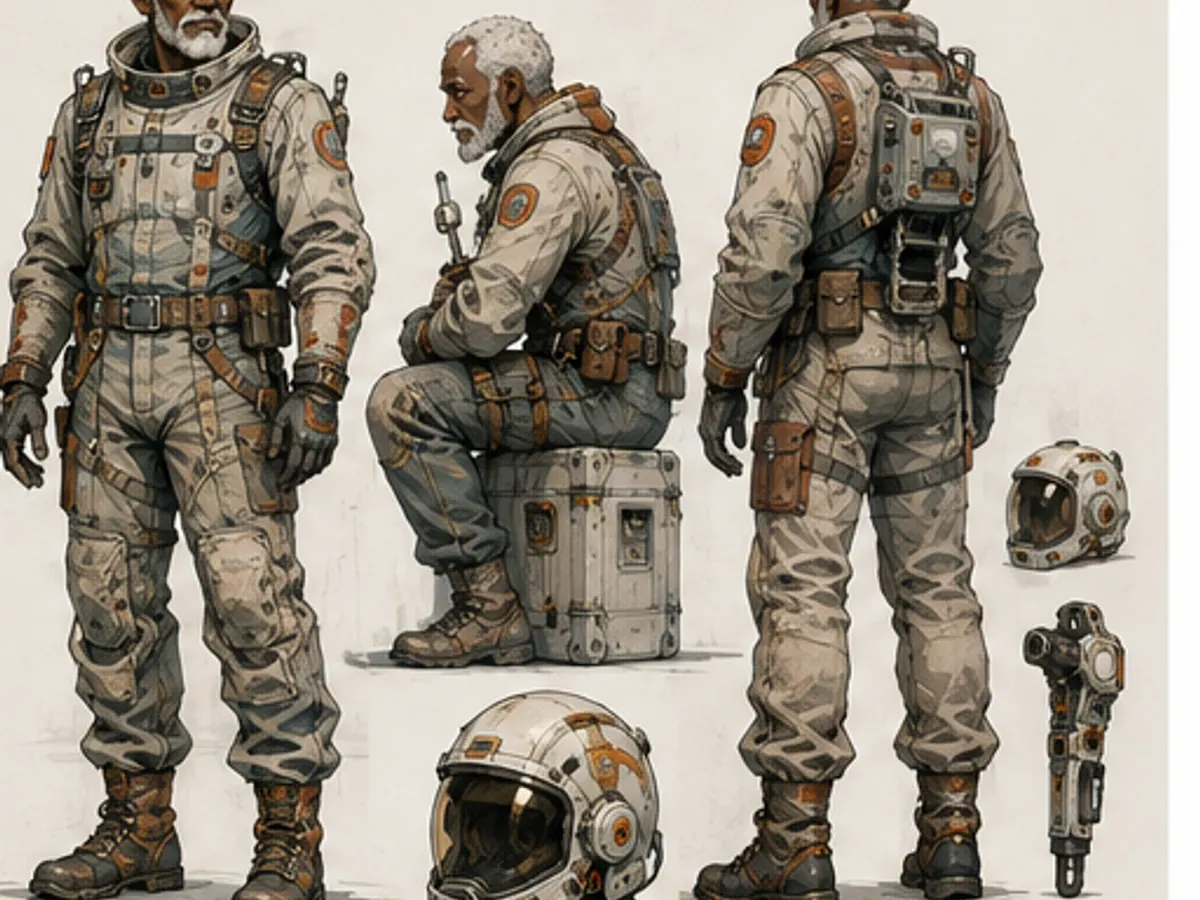
Older original space engineer shown in working poses03
Brief · design options · turnaround · expressions · approved reference

Try it here

Fast Comic planning is free — you approve before anything is drawn
Plan with Fast Comic · free

Character creation specs

Brief
Role, age cues, build and visual identity
Design
Controlled clothing, palette and prop options
Turnaround
Front, side and back reference views
Expressions
Story-relevant emotion range
Approval
Chosen references separated from rejects
Reuse
Labelled assets attached to panel jobs

Two kinds of fact about a character

The split is the whole trick. Identity travels to every panel. Scene state travels to one scene and then stops.

Identity traitsSTABLE · ALL PANELS
Face
Sharp jaw, freckles across the nose
Hair
Black, white streak at the left temple
Build
Tall, narrow shoulders
Default outfit
Yellow oilskin coat
Scene stateTEMPORARY · SCENE 2
Condition
Soaked through, hair flat
Carrying
The sealed parcel, both arms
Injury
Cut above the right eyebrow
Ends at
Scene 3 — dry, parcel handed over
Every reference you attach is marked Authoritative (match this) or Inspirational (borrow the feel). Locking the face makes it authoritative everywhere, and a locked trait tells you how many panels it affects before you change it.

What you get

Start from story function

Design a character for what they must do in the story, not from a random pile of visual traits.

Compare controlled options

Change one decision at a time so clothing, palette and prop choices are easy to evaluate.

Approve a useful sheet

Keep angles and expressions that later panels will actually need.

Reuse the accepted design

Attach the approved reference to future panel jobs and review every result for drift.

How it works

01
Write a clear brief

Describe the role, visible identity, base clothing and a few distinctive details.

02
Review variations

Compare options, remove conflicting traits and approve one coherent direction.

03
Build the reference

Create turnaround and expression views, label them and reuse them in story panels.

Original character design directions

Six original concept-art studies made for this page. They show useful reference formats and do not copy existing protected characters.

Why creators keep control

See exactly what stays under your control. Customer quotes will appear here only when we have permission to publish them.

Product capability
The workflow stays reviewable

ComicWave keeps the original character reference plan, generated panels and lettering as separate stages. You can review the structure before drawing and replace one weak result without discarding accepted work.

Product capability
The examples are clearly identified

The visual examples on this page are original concept illustrations made for this topic. They are not customer work, benchmark results or a promise that every generated output will match them.

How we verified this
Written by ComicWave product team
Reviewed by ComicWave content review on 2026-09-04
Evidence reviewed: ComicWave product implementation · ComicWave editorial keyword brief · Page-specific original concept illustrations

Why this beats one big prompt

What you needOne image modelComicWave
The same face in every panelRe-rolls until it looks closeApproved sheet attached to relevant panels; outputs remain reviewable
Fixing one bad panelRegenerate the whole imageOne panel, one job, siblings untouched
Changing a line of dialogueRedraw and hopeFree — text is vector, not pixels
Reading order and guttersWhatever the model paintsA real layout you can switch for free
Print at 300 dpiUpscale and prayPage size, trim, bleed and a validator
Knowing the cost firstPay per attemptReserved, settled, released — shown up front
Free 50 credits · Creator $24 · Studio $72Credits are reserved before a job and released if it fails.See pricing →

Questions

Related tools

Same category, the next step in the workflow, and something to read.

Approve the person before asking them to act.

Create a characterSee pricing